
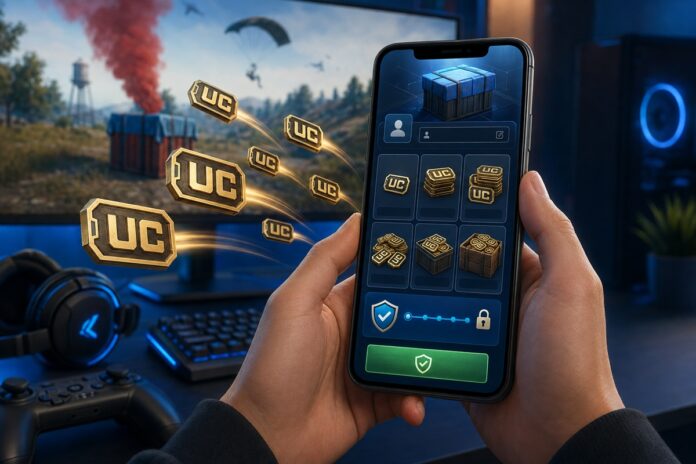

Want to know how to top up PUBG Mobile UC quickly, safely, and at the best possible price? You’re in the right place. UC (Unknown Cash) is what stands between you and the Royale Pass, that limited-edition outfit, or the crate you’ve been eyeing all season, and in 2026, there are more ways than ever to buy it. This step-by-step guide covers every method, with a special focus on what works best for players in Nigeria and across Africa.
Quick answer: You can top up PUBG Mobile UC in two ways: directly through the in-game store (using Google Play or the App Store) or through a third-party PUBG UC shop, where you enter only your Player ID and often pay a lower effective price with local payment options. For most Nigerian players, a trusted third-party store offers better value and more flexible payment methods than in-game billing.
What Is PUBG UC and Why Do You Need It?
UC (Unknown Cash) is the premium in-game currency for PUBG Mobile. Unlike the free BP (Battle Points) you earn by playing matches, PUBG UC has to be purchased, and it unlocks the content that actually turns heads on the battlefield. With UC, you can buy:
- The Royale Pass and Royale Pass tiers each new season
- Character outfits, gun skins, and weapon finishes
- Crates and lucky draws for rare cosmetic items
- Emotes, parachute skins, and vehicle skins
- Upgrades to signature items like the Groza and M416 skins
In short, if you want to stand out or keep up with the meta cosmetics, UC is essential. The question is not whether to top up your PUBG Mobile UC, but how to do it in the smartest, most cost-effective way.
PUBG UC Packages and Prices at a Glance
UC is sold in fixed tiers, and larger bundles include bonus UC that lowers your effective cost per unit. The exact naira price shifts with the exchange rate and any promotions running, so always check the current rate before you buy — but the tier structure below stays consistent:
| UC Package | Bonus UC | Total UC | Best for |
|---|---|---|---|
| 60 UC | — | 60 | Small single-item purchases |
| 300 UC | +25 | 325 | Entry-level Royale Pass top-up |
| 600 UC | +60 | 660 | Elite Royale Pass |
| 1,500 UC | +300 | 1,800 | Elite Pass Plus + extras |
| 3,000 UC | +850 | 3,850 | Crates and lucky draws |
| 6,000 UC | +2,100 | 8,100 | Serious cosmetic collecting |
| 16,200 UC (approx.) | Varies | Varies | Best value per UC on big spends |
Bonus amounts and top tiers can vary slightly by region and by seasonal promotion. The bigger the bundle, the more bonus UC you get — so the effective price per UC drops as you go up the tiers.
The Two Main Ways to Top Up PUBG UC
There are two reliable routes to getting UC into your account in 2026: buying directly through the in-game store, or using a dedicated third-party top-up shop. Both are legitimate. The difference usually comes down to price, payment convenience, and how much value you get for your naira.
Method 1: How to Top Up PUBG UC Directly In-Game
This is the official route built into PUBG Mobile itself.
- Open PUBG Mobile and log in to your account.
- Tap the UC icon (usually at the top-right of the lobby screen) or head to the in-game shop.
- Select a UC package from the tiers shown in the table above.
- Choose your payment method. Depending on your device, you’ll pay through Google Play (Android) or the App Store (iOS).
- Confirm the purchase. The UC is credited to your account almost instantly.
The upside here is simplicity and security — you’re paying the platform directly. The downside for Nigerian players is that Google Play and App Store billing often depends on a card set up for international payments, and the prices are pegged to foreign currency, which can sting when the exchange rate moves against the Naira. You also rarely get discounts through this route.
Method 2: How to Top Up PUBG UC Through a Third-Party Shop
This is where many value-conscious players in Nigeria head, because a good third-party store often offers the same UC at a lower effective price, with local payment options that don’t require an international card.

A dedicated PUBG UC shop lets you buy UC by simply entering your PUBG Player ID — no need to log in with your password, which keeps your account credentials safe. The UC is then delivered directly to your account. Here’s how the process typically works:
- Head to the top-up page and select PUBG Mobile.
- Enter your PUBG Player ID. You can find this on your profile in-game; it’s the numeric ID displayed under your character name.
- Choose your UC package. Packages usually mirror the in-game tiers, and you’ll see the price clearly before you commit.
- Select your payment method. This is a big advantage for African players—platforms like this often support a wide range of options beyond international cards.
- Complete payment and confirm. UC is credited to the account tied to the Player ID you entered, usually within minutes.
Because you skip the app-store markup, third-party stores can be a genuinely economical way to fund a new season of play.
Best Payment Methods to Top Up PUBG UC in Nigeria
One of the most common frustrations for gamers in Nigeria is hitting a payment wall. Here’s what to look out for in 2026:
- Local debit cards (Verve, Naira Mastercard/Visa): Increasingly accepted on third-party platforms, though some in-game routes still require a dollar card.
- Bank transfers and online banking: A popular workaround that avoids card limits entirely.
- Mobile money and wallet options: Growing in availability and handy for smaller top-ups.
- Virtual dollar cards: These bridge the gap when a platform only accepts international cards.
Before choosing where to top up, always confirm which payment methods a store supports so you’re not left stranded at checkout.
How to Find Your PUBG Player ID
Since third-party top-ups need your Player ID rather than your login, it’s worth knowing exactly where to find it:
- Open PUBG Mobile and tap your profile picture in the top-left of the lobby.
- Your numeric Player ID appears directly beneath your in-game name.
- Copy it carefully — a single wrong digit sends the UC to the wrong account.
<!– IMAGE 2 — alt: “Where to find your PUBG Mobile Player ID for a UC top-up” –>
Double-checking this number is the single most important step in any third-party top-up.
How to Get Cheap PUBG UC: Tips for the Best Value
- Buy before a new season drops. Topping up your UC ahead of a Royale Pass launch means you’re ready the moment the new pass goes live, instead of scrambling mid-queue.
- Compare the effective naira price. Look past the sticker figure and work out what you’re actually paying per UC, factoring in any bonus UC in a package (see the table above).
- Watch for seasonal promotions. Many stores run discounts around major game updates and holidays.
- Bookmark a store you trust. Once you’ve found a reliable PUBG UC shop with payment methods that suit you, sticking with it saves time on every future top-up.
- Only ever share your Player ID, never your password. No legitimate top-up service needs your account login.
Frequently Asked Questions about PUBG UC Top Up
Is it safe to buy PUBG UC from a third-party store?
Reputable platforms deliver UC using only your Player ID, so you never hand over your account credentials. As with any online purchase, stick to established stores with clear pricing, secure checkout, and verifiable reviews.
How long does PUBG UC delivery take?
Through the in-game store, it’s near-instant. On a trusted third-party PUBG UC shop, delivery is usually completed within a few minutes of payment.
Why is third-party PUBG UC sometimes cheaper?
Third-party stores don’t carry the same app-store commission built into in-game pricing, which can translate into a lower effective cost, especially valuable when the naira-to-dollar rate is volatile.
Do I need to log out or share my password to top up UC?
No. You only need your numeric Player ID. If a service asks for your password, treat that as a red flag.
Can I top up PUBG UC for a friend?
Yes, since top-ups use the Player ID, you can gift UC by entering your friend’s ID instead of your own.
Conclusion
Knowing how to top up PUBG Mobile UC in 2026 comes down to choosing the route that offers the best mix of price, convenience, and payment flexibility. The in-game store is the most straightforward option, but for players in Nigeria and across Africa, a third-party shop often unlocks better value and far more payment choices.
Whichever method you choose, remember the golden rule: protect your account by sharing only your Player ID, confirm your payment options ahead of time, and top up before the next season so you’re never caught without UC when it matters most.